
Introduction
With the intake API now deployed and operating in AWS, this post focuses on the production deployment of the CDX-WEB-SCAN web application on SRV-CDX-01. To enforce strict trust boundaries and ensure the intake pipeline remains private, access to the application is restricted using a Zero Trust networking model. Specifically, I am deploying NetBird Zero-Trust VPN (https://netbird.io/) to provide authenticated, device-level access to the service without exposing it directly to the public internet. This approach reduces attack surface, centralizes access control, and aligns the deployment with modern security-first architectural practices.
NetBird Deployment
In recent years, NetBird has emerged as a viable open-source Zero Trust VPN solution. It offers both free and paid cloud-hosted plans, as well as a fully self-hosted deployment option. For my lab environment, I’ve opted for the free cloud-hosted plan, which supports up to 5 users and 100 devices. This is more than sufficient for my home lab use case.
I’ve registered a dedicated NetBird account for my lab under my edbradleyweb.net domain and have begun onboarding peer devices to securely participate in the private network:
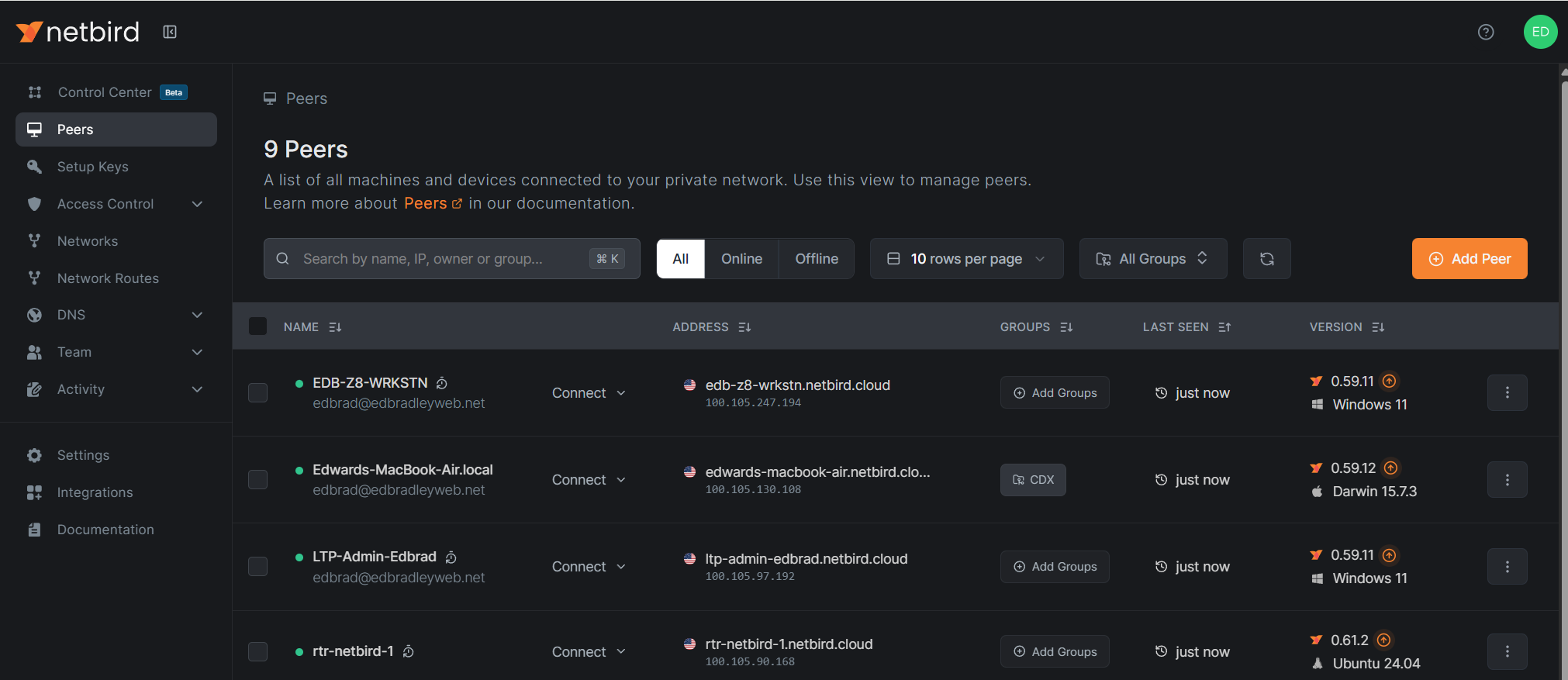
The Web Console provides guided instructions for deploying the NetBird client to supported platforms (Windows, Linux, & macOS):
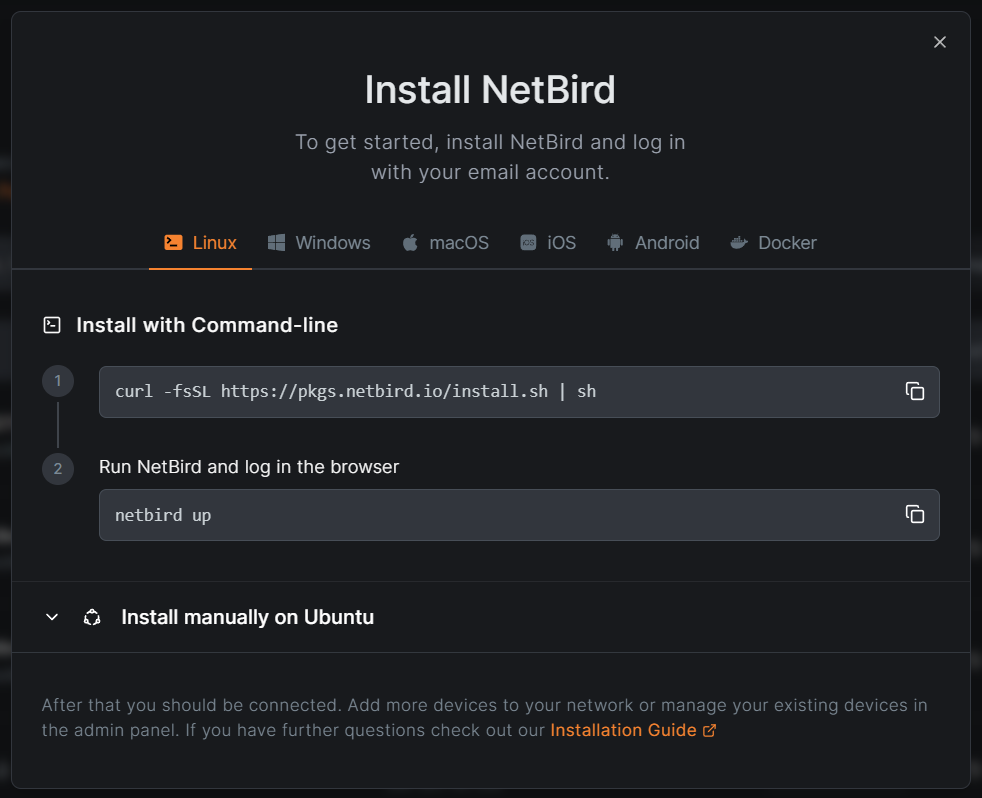
Mobile Device Installation:
NetBird supports Mobile Device connections (Android and IOS). I installed the client app on the old Mobile phone I'm using for this project for bar code scanning:
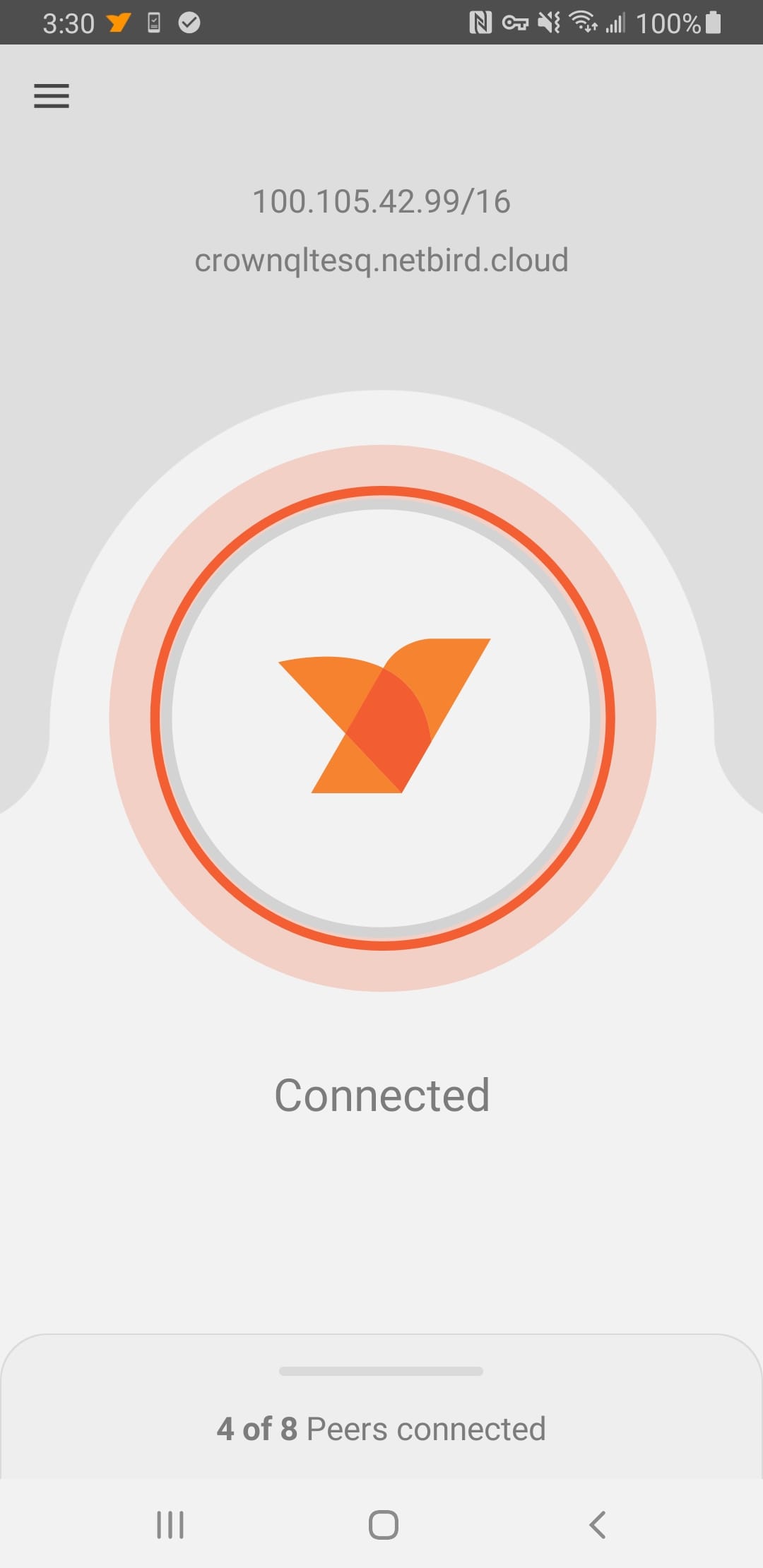
NetBird Setup Keys for Server Onboarding:
For internal server systems, I leveraged NetBird Setup Keys to streamline and secure the onboarding process. Setup keys allow servers to pre-authenticate and automatically join the NetBird overlay network during installation, eliminating the need for interactive user authentication:
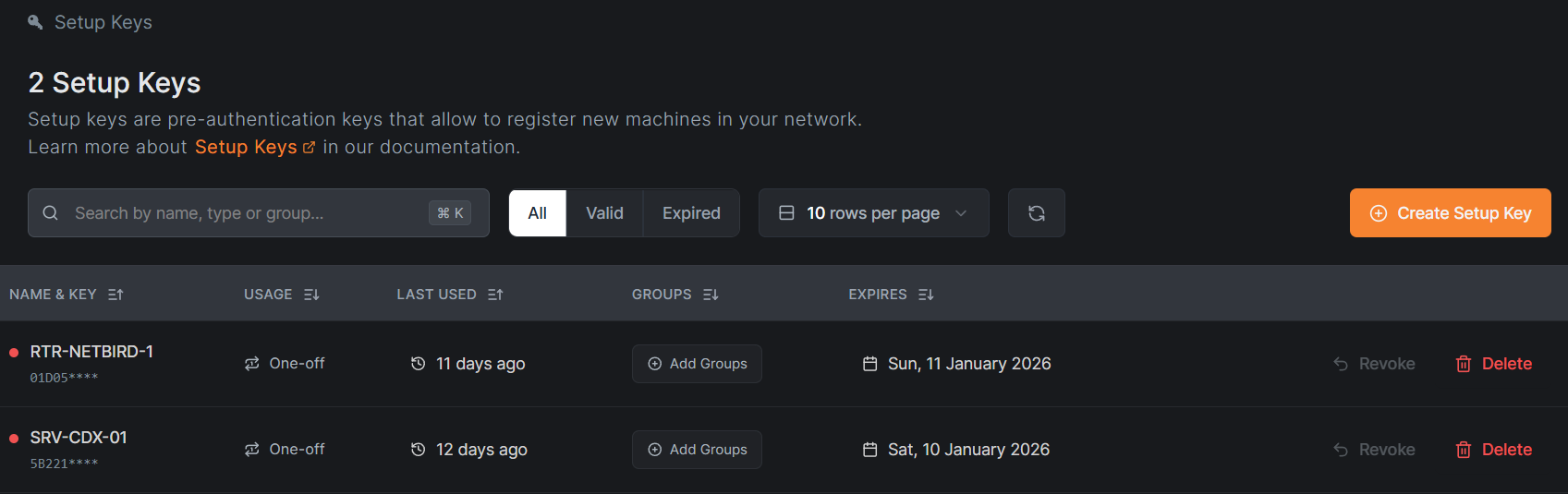
This approach is particularly well-suited for infrastructure and service accounts, as it prevents periodic re-authentication prompts that are typically enforced for end-user or external client devices. By using setup keys, servers maintain persistent, identity-based connectivity to the Zero Trust network while remaining governed by centrally defined access policies.
In the CDX deployment, this ensured that internal services remained consistently reachable within the overlay network without introducing manual authentication overhead or weakening security controls. The result is a cleaner separation between long-lived infrastructure peers and user-driven client devices, aligning the deployment with modern Zero Trust and least-privilege principles.
NetBird Networks:
To address the challenges of internal DNS resolution and secure PKI/TLS functionality, I leveraged NetBird’s Networks and DNS features.
NetBird Networks enable secure access to internal resources hosted in LANs or VPCs without requiring the NetBird agent to be installed on every system. In the CDX deployment, the web application must resolve internal hostnames via existing internal DNS servers. Installing the NetBird agent directly on those DNS servers would be inefficient and would unnecessarily expand the trusted attack surface.
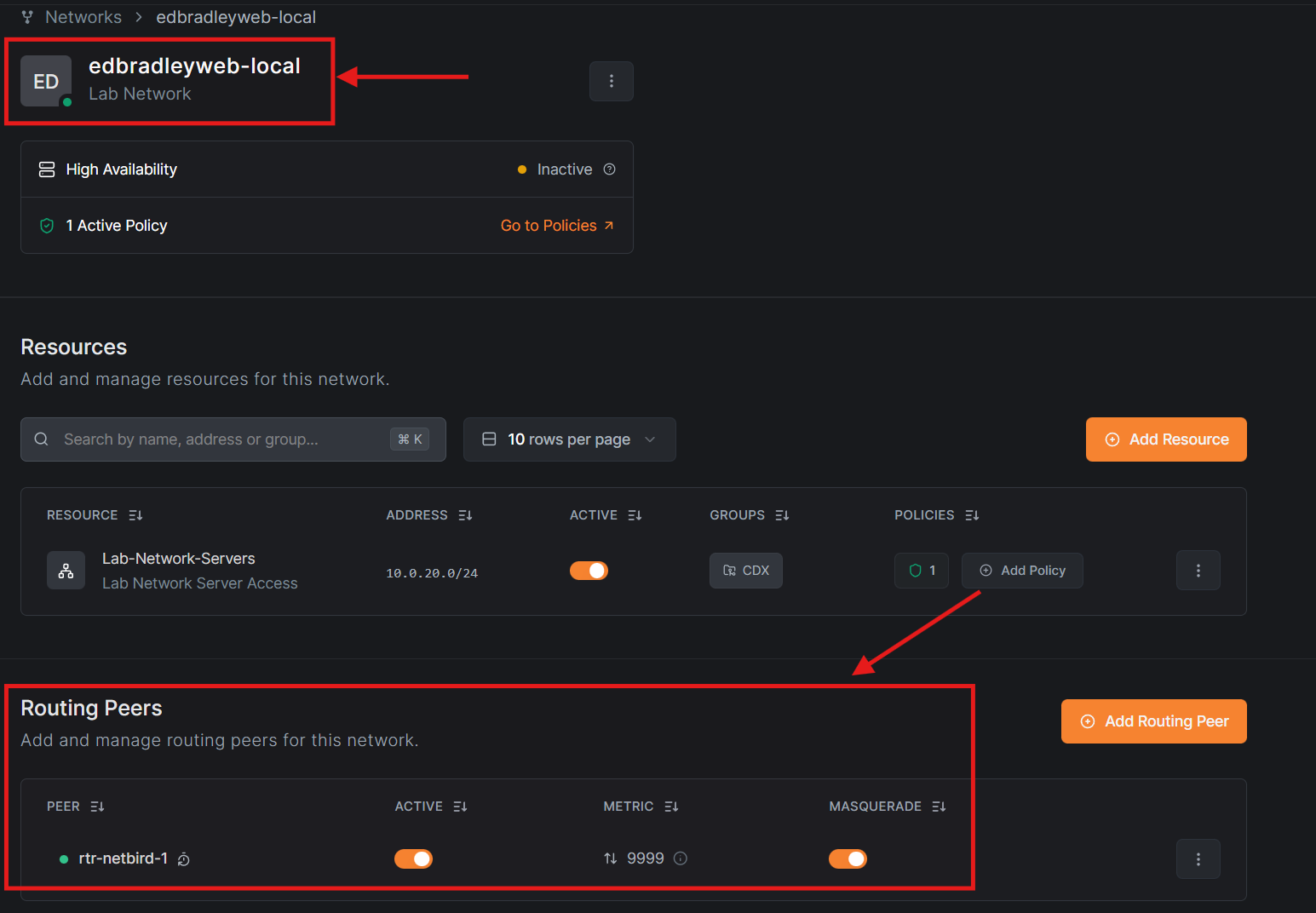
To solve this, I deployed a dedicated NetBird Routing Peer. A routing peer advertises access to internal private IP ranges and provides controlled network reachability to other authorized peers, acting as a secure gateway into the private network.
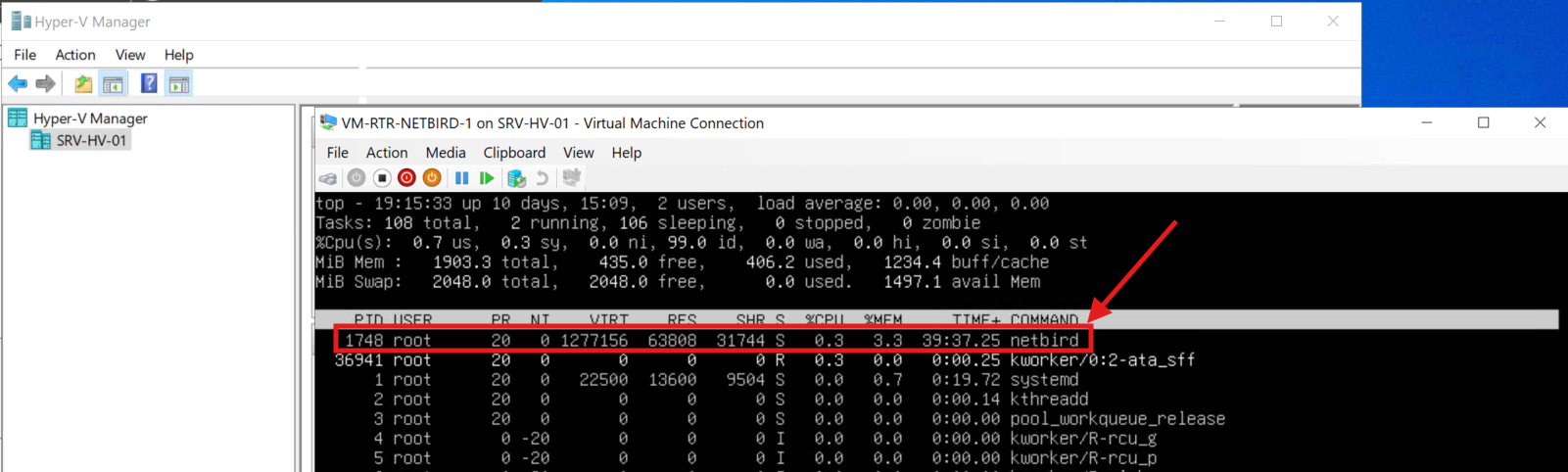
For the CDX environment, I created a NetBird Network named edbradleyweb-local and deployed a dedicated routing peer (rtr-netbird-1). This routing peer is implemented as a Linux virtual machine:
NetBird DNS Integration:
NetBird provides a built-in DNS resolver for its overlay network (netbird.cloud), enabling seamless name resolution between peers within the Zero Trust network. In addition to this default functionality, NetBird allows administrators to define custom DNS servers to support resolution of internal hostnames and private IP addresses.
For the CDX deployment, I configured NetBird to forward DNS queries for internal resources to the existing edbradleyweb.local DNS infrastructure. Specifically, the internal DNS servers at 10.0.20.101 and 10.0.20.121 are used to resolve production hostnames, including the newly deployed CDX web server:
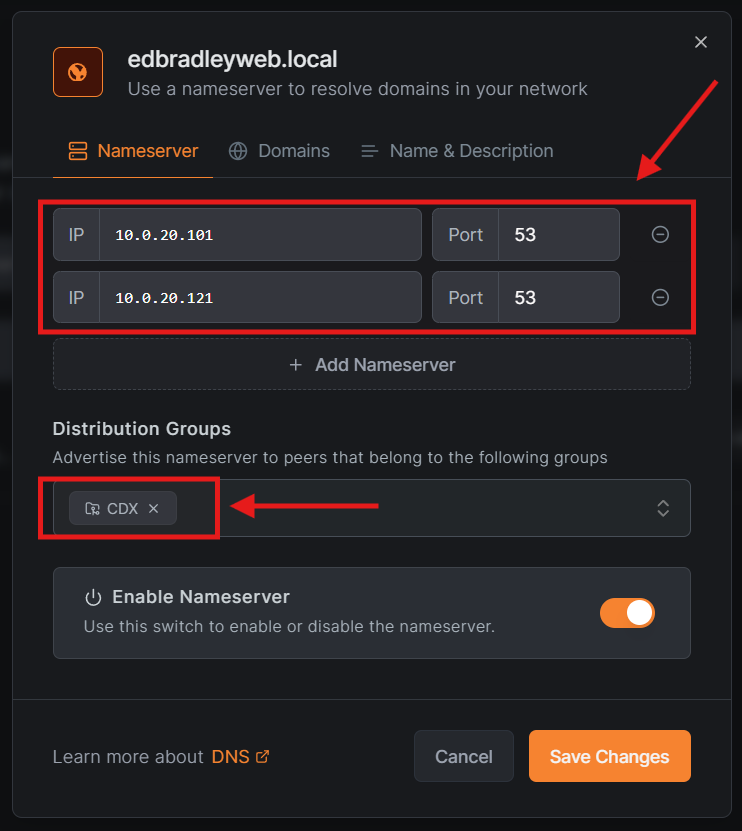
This approach preserves centralized DNS management, avoids duplicating records or introducing split-brain DNS scenarios, and ensures that NetBird-connected peers can securely resolve internal services while remaining isolated from the public internet. By integrating DNS resolution directly into the Zero Trust overlay, access to internal services remains both tightly controlled and operationally transparent to authorized groups.
Before deploying the CDX Web Server, I verified the NetBird configuration and internal DNS resolution by the NetBird client:
netbird status -d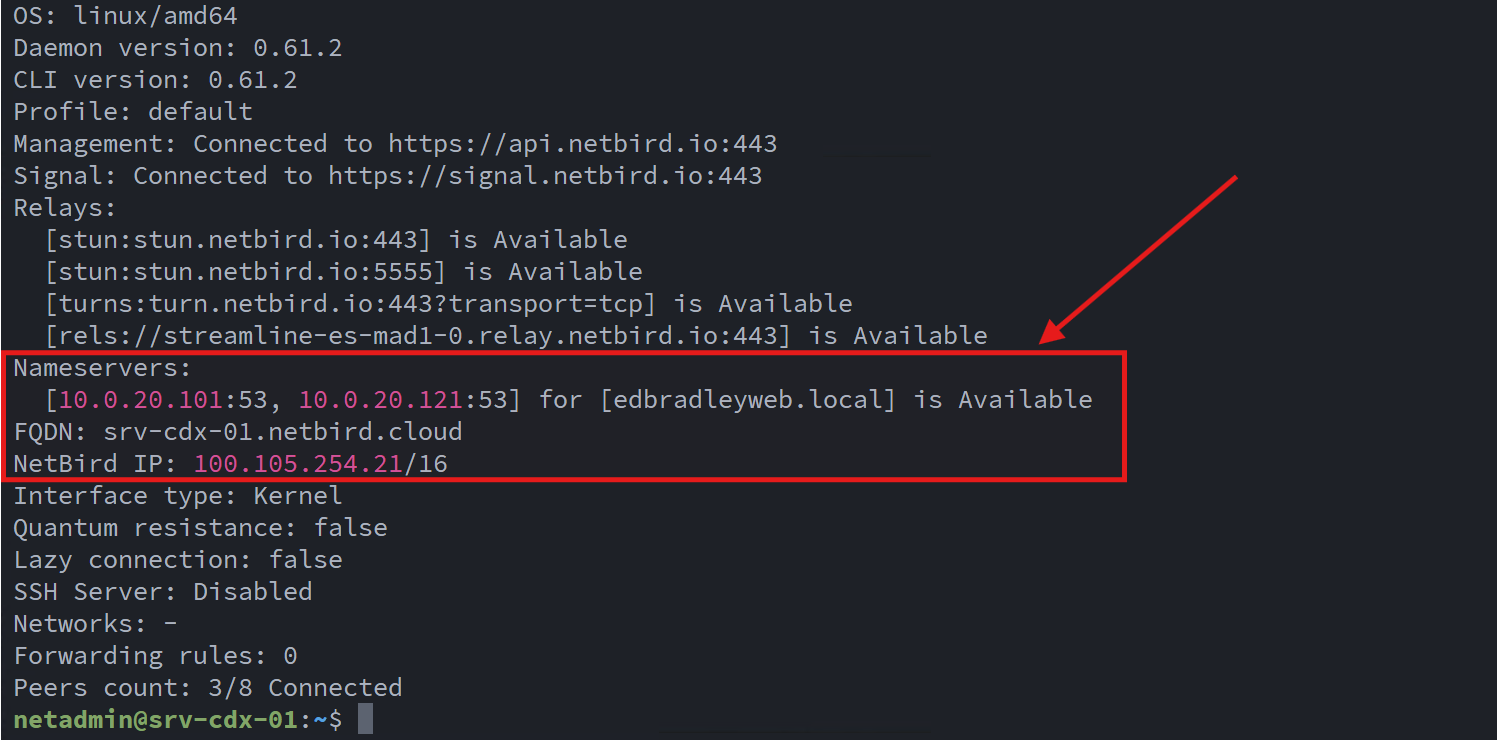
CDX Web Server Deployment
An Ubuntu Server 24.04 LTS virtual machine was deployed on the Hyper-V host in my lab to serve as the production host for the CDX Web Scan application:
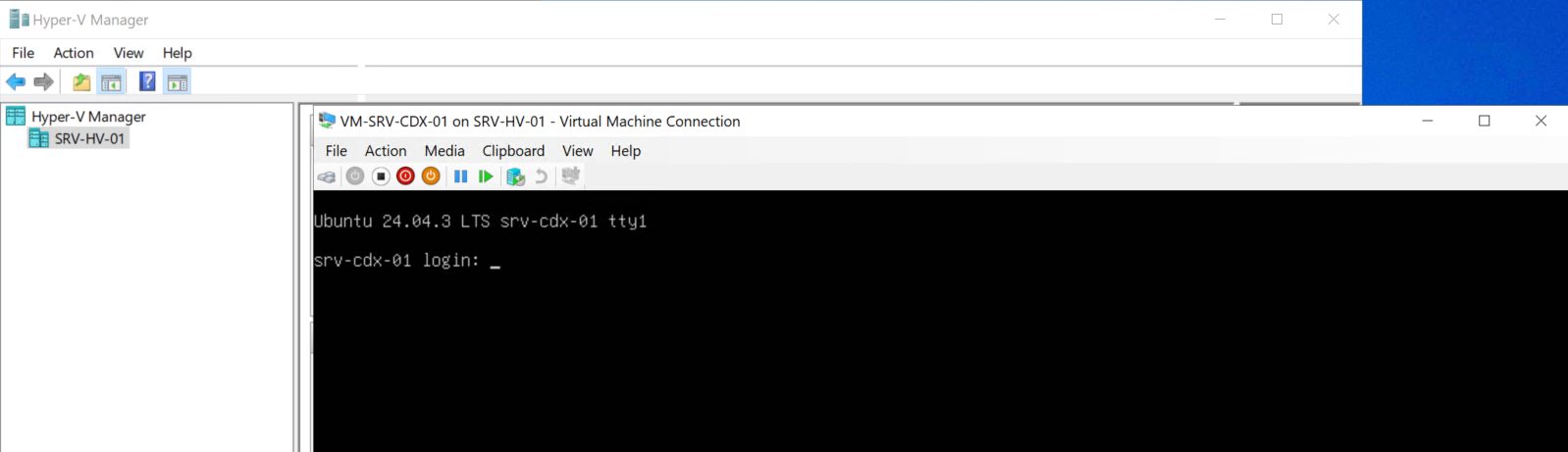
After completing the base OS installation, I applied the latest operating system updates and installed the NetBird client, using a Setup Key to ensure persistent membership in the Zero Trust overlay network. This allows the server to maintain secure, always-on connectivity without requiring interactive re-authentication.
Docker Installation (Official Repository):
To support a containerized deployment model, I installed Docker Engine and Docker Compose using Docker’s official APT repository, ensuring access to current, supported versions:
sudo apt update
sudo apt install -y ca-certificates curl gnupg

sudo install -m 0755 -d /etc/apt/keyrings
curl -fsSL https://download.docker.com/linux/ubuntu/gpg | sudo gpg --dearmor -o /etc/apt/keyrings/docker.gpg
sudo chmod a+r /etc/apt/keyrings/docker.gpg

echo \
  "deb [arch=$(dpkg --print-architecture) signed-by=/etc/apt/keyrings/docker.gpg] https://download.docker.com/linux/ubuntu \
  $(. /etc/os-release && echo ${VERSION_CODENAME}) stable" | \
  sudo tee /etc/apt/sources.list.d/docker.list > /dev/null

sudo apt update
sudo apt install -y docker-ce docker-ce-cli containerd.io docker-buildx-plugin docker-compose-plugin
sudo systemctl enable --now docker
Once installed, I verified both the Docker Engine and Docker Compose plugin were functioning correctly before proceeding:
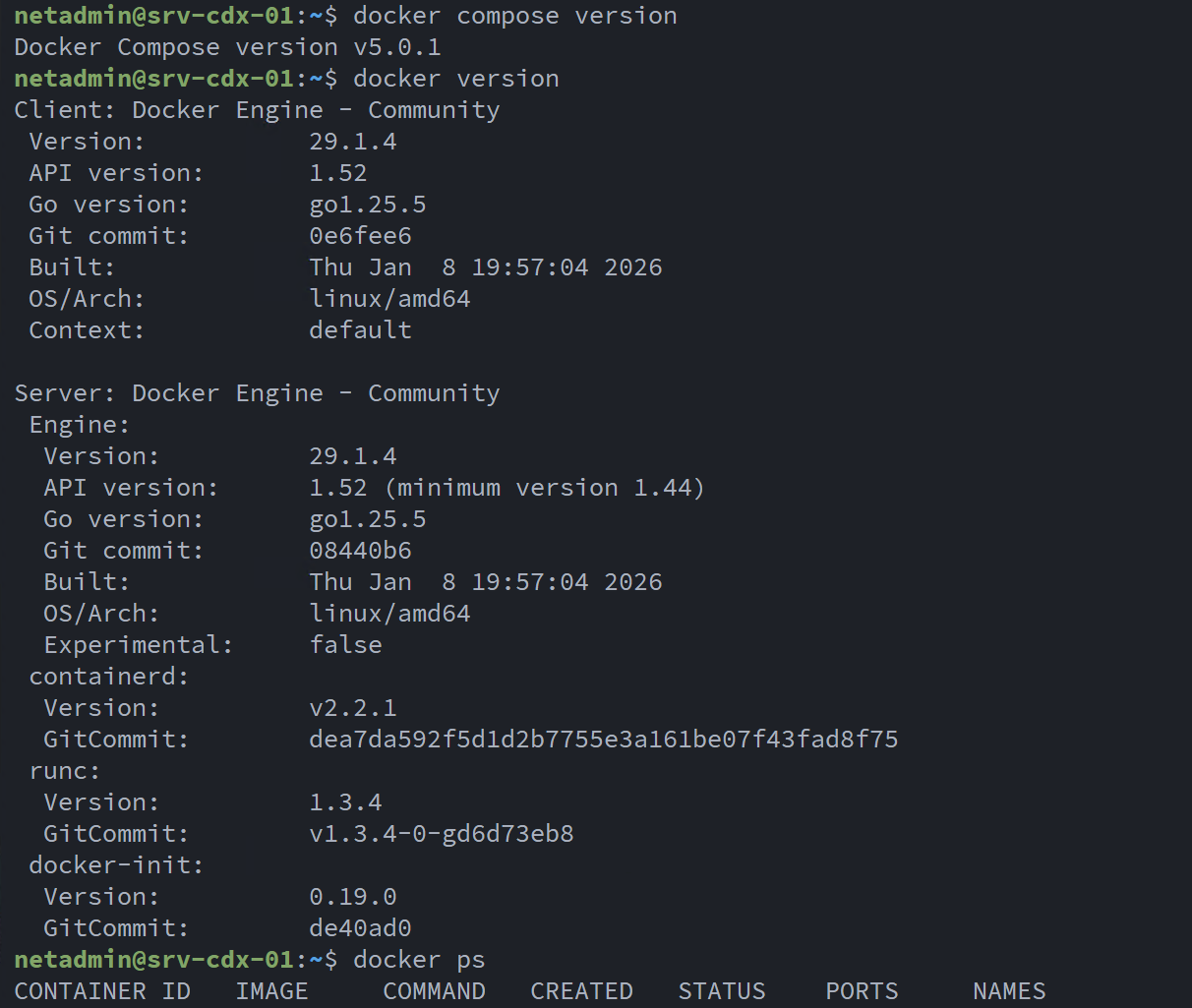
Application Directory Structure:
Following Linux filesystem conventions, I created a dedicated application directory and cloned the public GitHub repository:
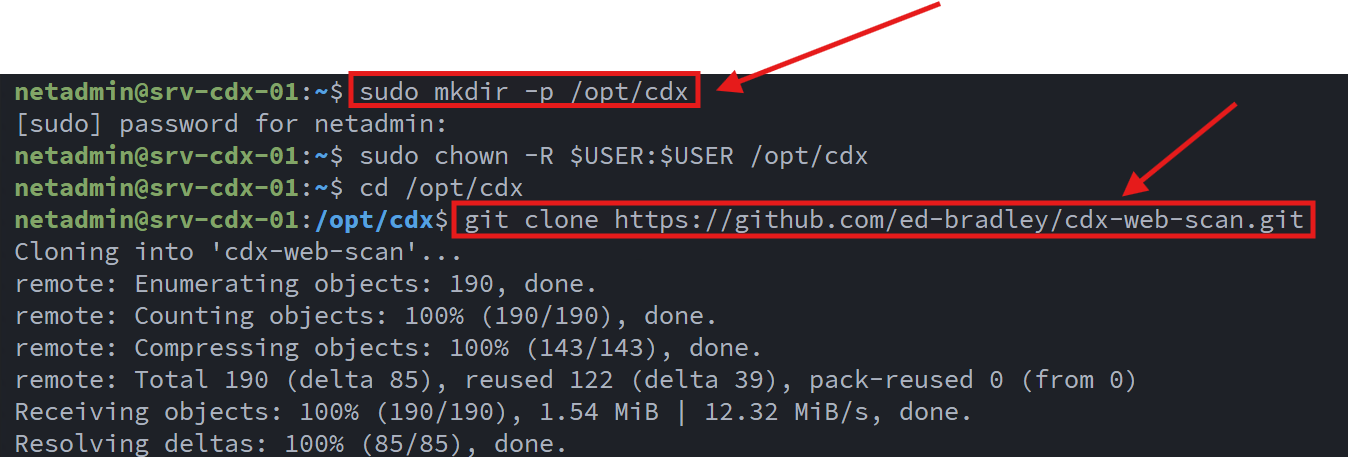
To ensure application data persists independently of container lifecycles, I also created a separate host-mounted data directory:
mkdir -p /opt/cdx/cdx-web-scan-dataThis directory is used for persistent storage such as the local database and application artifacts.
Environment Configuration:
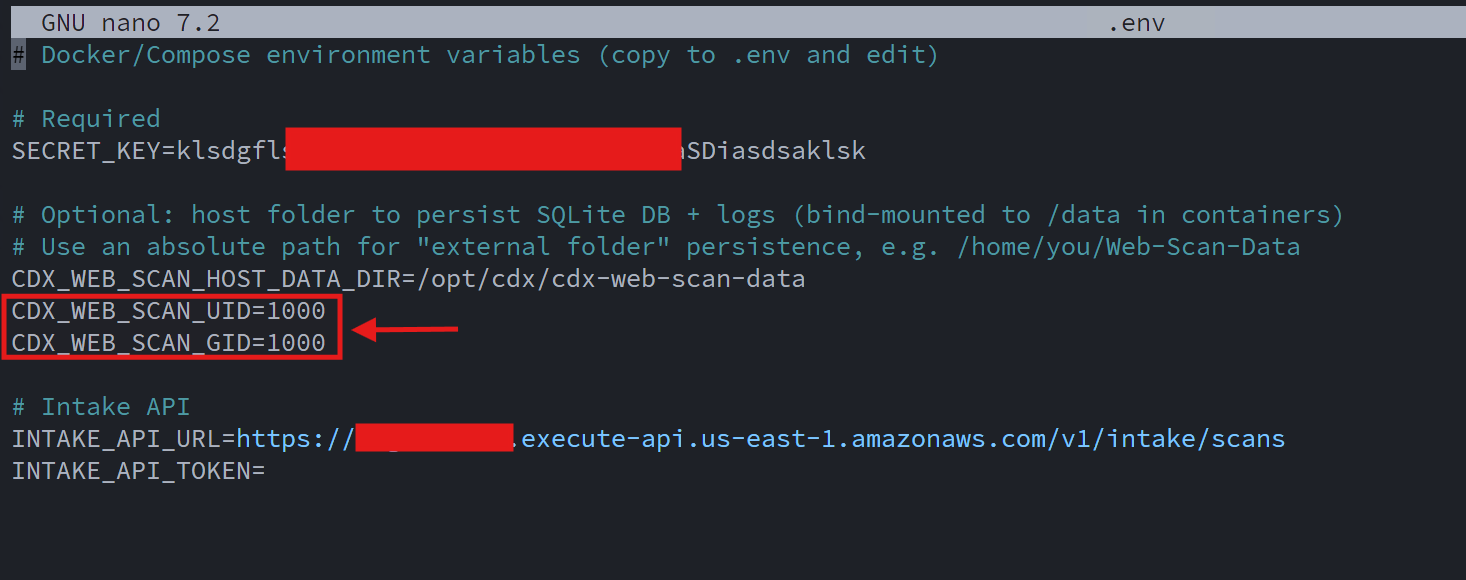
Next, I created a custom .env file tailored for the production server deployment. This file defines:
- A unique application secret key
- The AWS Intake API URL
- The user and group IDs under which the containers run, aligning with a local administrative account to avoid permission issues on host-mounted volumes
This approach keeps sensitive configuration out of source control while allowing clean, repeatable deployments:
PKI Integration and TLS Configuration:
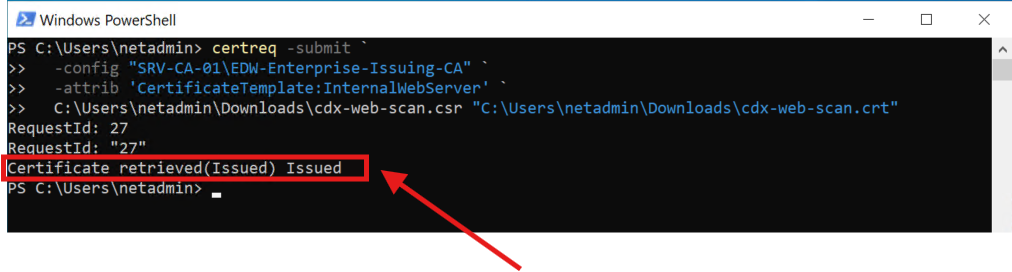
To integrate the server into my existing internal PKI infrastructure, I generated a certificate signing request (CSR) directly on the server:

The CSR was submitted to the internal issuing CA, where a server authentication certificate was successfully generated:
The signed server certificate was then combined with the Issuing CA and Offline Root CA certificates to form a complete certificate chain suitable for use with NGINX.:
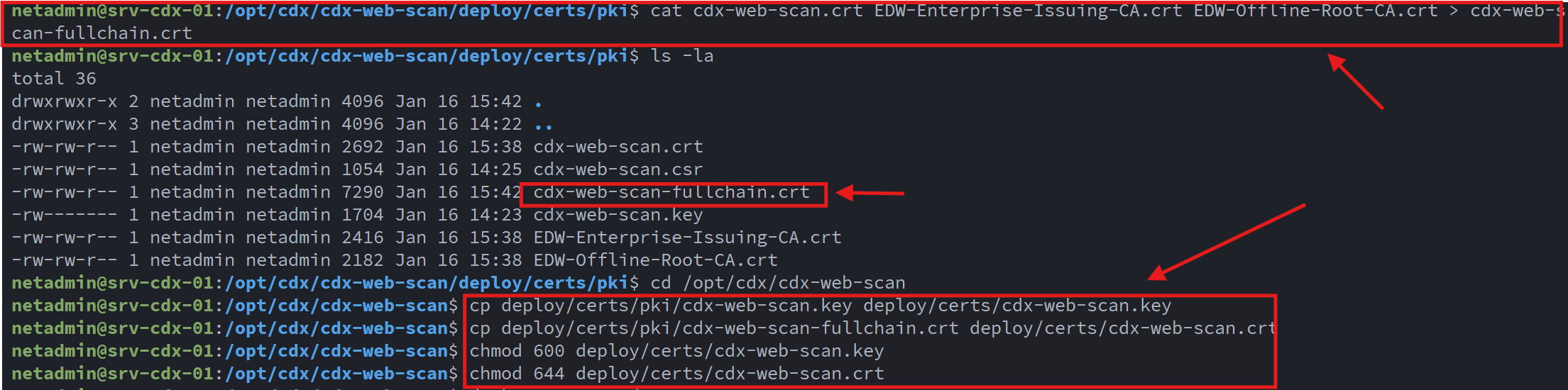
This ensured that:
- The service presents a trusted certificate
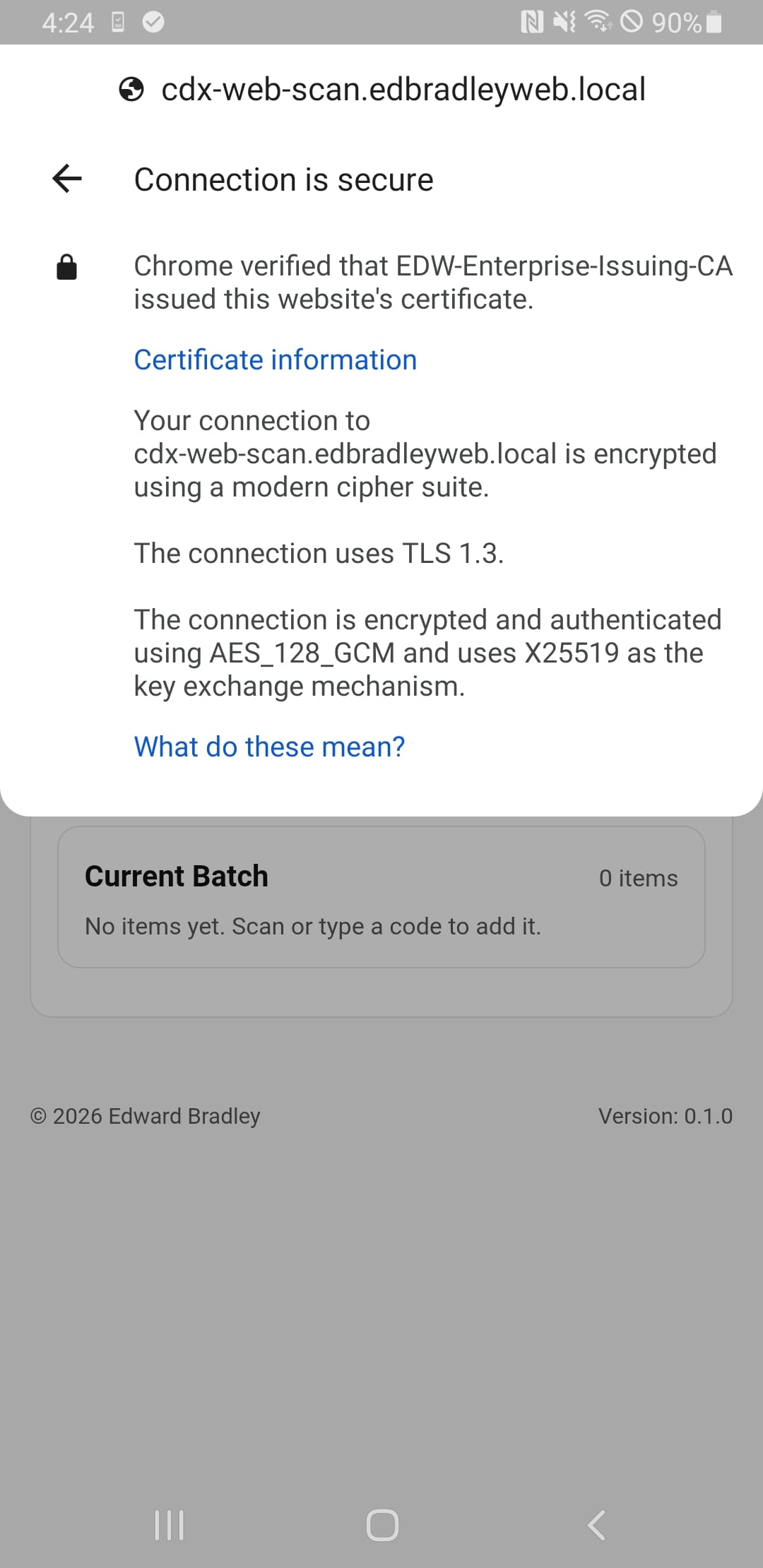
- TLS validation succeeds across domain-joined systems and trusted mobile devices
- The application operates in a secure HTTPS context required for camera access
Container Deployment:
With NGINX configured for TLS termination, I built and launched the Docker container stack:
- cdx-web-scan (application container)
- NGINX (reverse proxy and TLS termination)
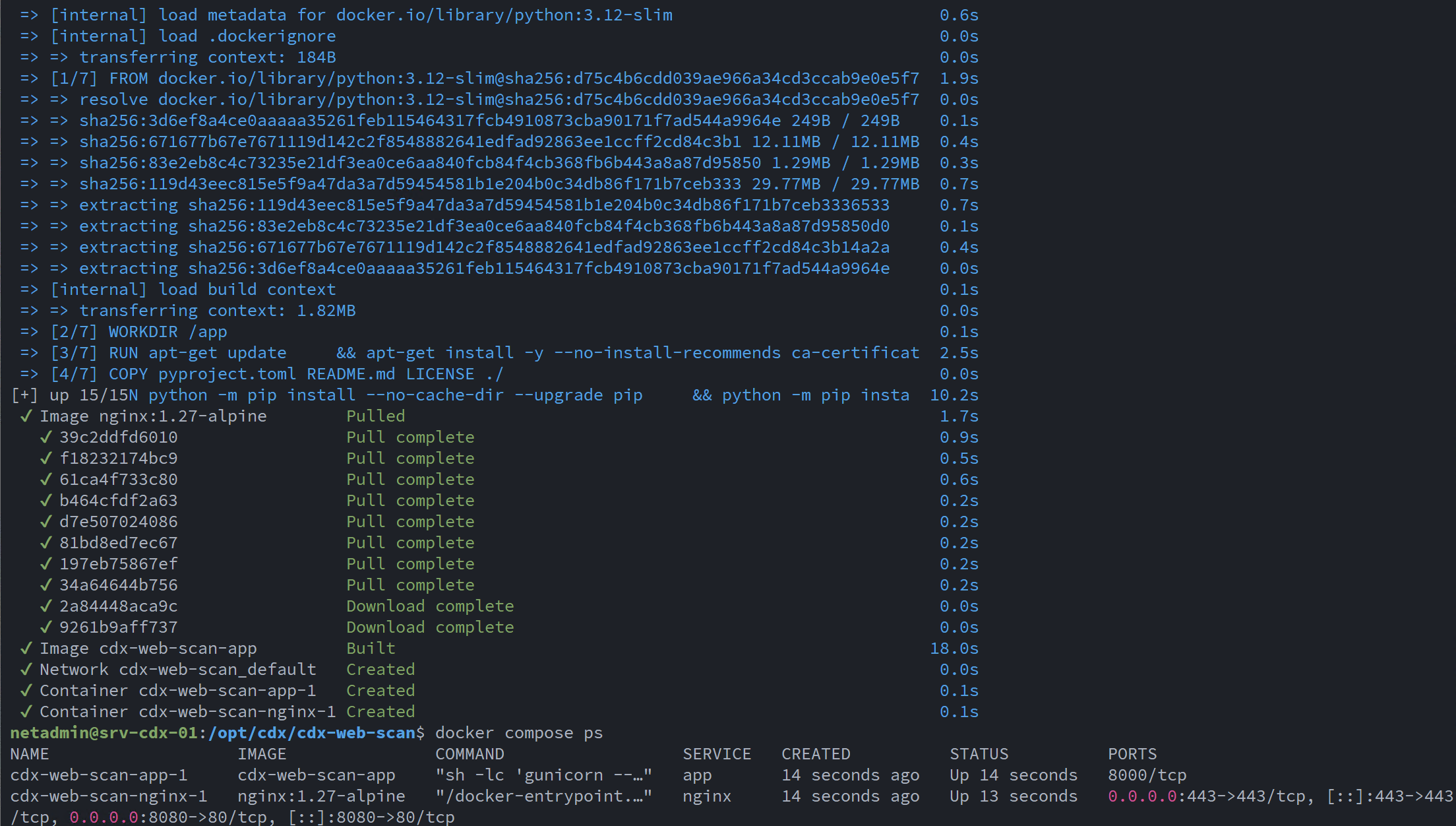
The stack was successfully built and started using Docker Compose, after which the web application became accessible via its fully qualified domain name:
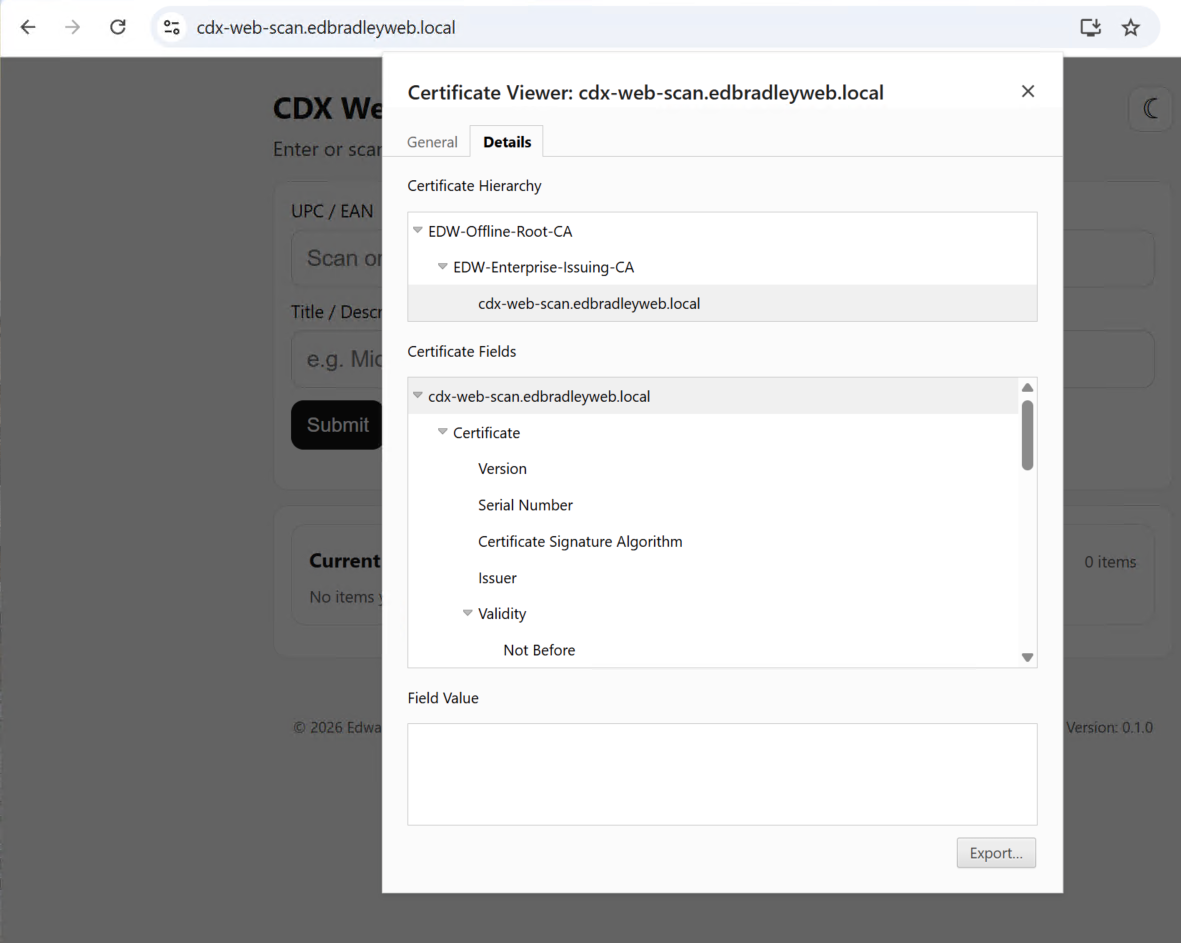
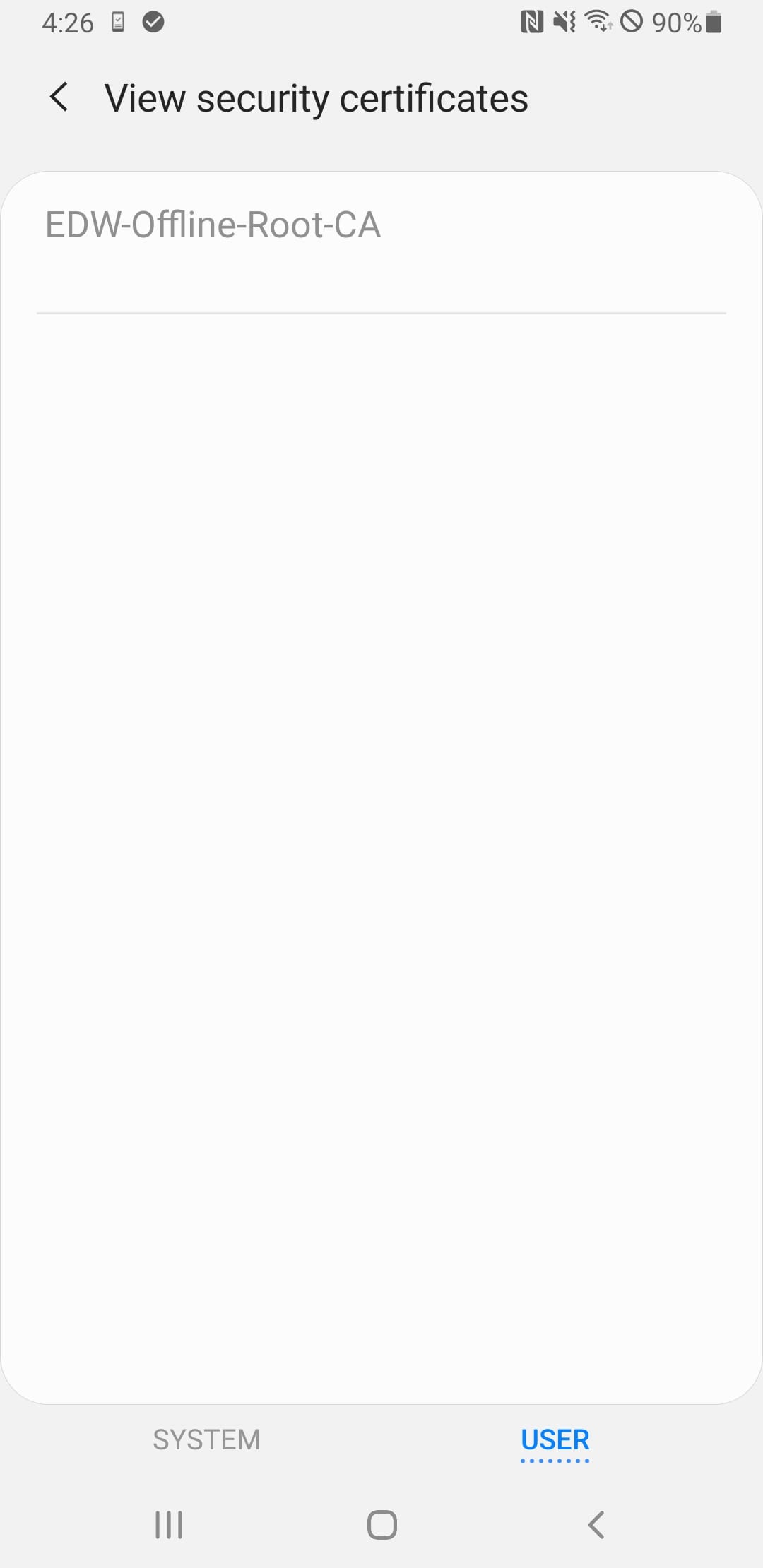
I added internal PKI support to my Mobile Phone by installing the Root Certificate on the device:
Validation and End-to-End Testing:
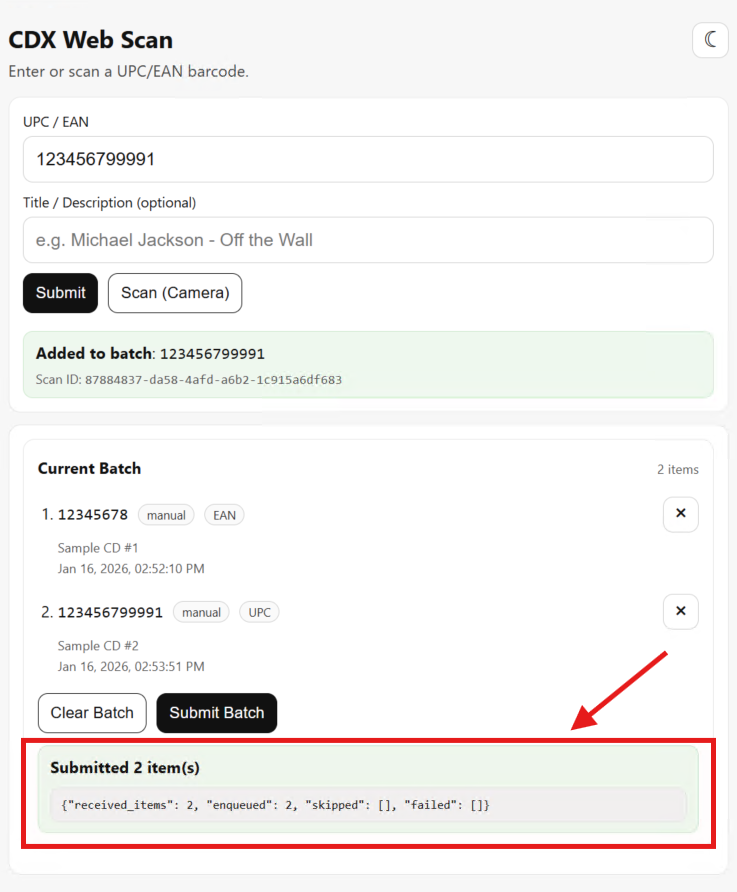
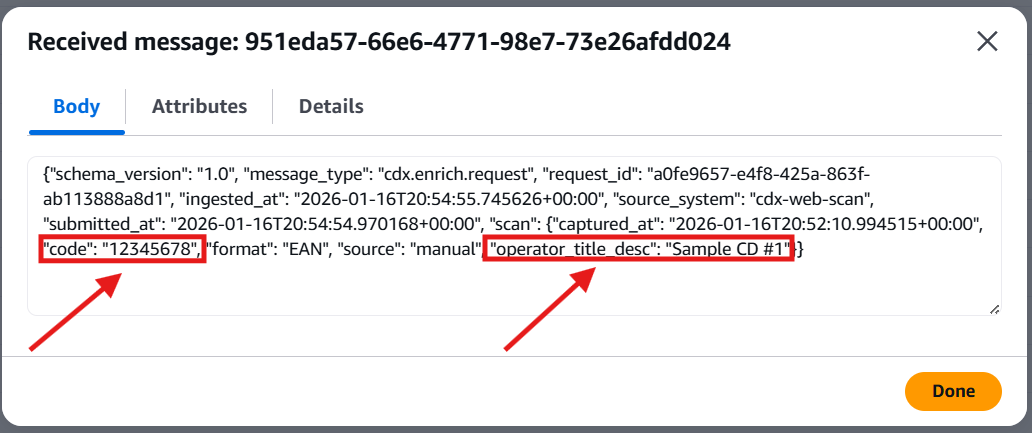
Finally, I confirmed full end-to-end functionality by submitting a batch of scanned CD barcodes from the web application. The scans were successfully transmitted to the AWS Intake API, validating the complete pipeline from on-premises intake UI to cloud-based ingestion:
Wrap-Up
In this post, I documented the end-to-end deployment of the CDX Web Scan application into a production-style, on-premises environment, integrating containerization, Zero Trust networking, and internal PKI into a cohesive and secure solution. By deploying the application on an Ubuntu Server 24.04 LTS virtual machine and leveraging Docker and Docker Compose, I was able to establish a clean, repeatable deployment model that closely mirrors real-world enterprise practices.
The integration of NetBird provided secure, always-on access to the application without exposing inbound services, while the use of an internal PKI ensured proper TLS trust across domain-joined systems and NetBird-connected mobile devices alike. Replacing self-signed certificates with CA-issued certificates enabled a fully trusted HTTPS experience, which was critical for browser security and mobile camera functionality.
With the container stack successfully deployed, TLS validated, and PKI trust extended to non-domain devices, the CDX Web Scan application was able to reliably submit batches of barcode scans to the AWS Intake API. This confirmed the complete end-to-end flow, from on-premises web intake, through Zero Trust networking, to cloud-based ingestion, was functioning as designed.
This deployment completes the on-premises side of the CDX intake pipeline and lays the groundwork for the next phase of the project: consuming these queued messages in the cloud and enriching them with album and EP metadata. With a secure, scalable intake layer now in place, the CDX platform is ready to move deeper into discovery, enrichment, and analysis.